Monte-Neo

Fast local research for trading strategies on Apple Silicon
Fee-aware next-bar economics · Monte Carlo · paper OMS



Install
pip install monte-neo
# Apple Silicon extras (MLX / Metal bindings):
pip install "monte-neo[apple]"
Or isolated CLI: brew install pipx && pipx install "monte-neo[apple]"
What it is
| Lane | Role |
|---|---|
| Research bar | Primary speed path — fee-aware next-bar grids on Mac |
| Monte Carlo | Research helpers for robustness checks |
| Paper OMS | Validation semantics — not a live-bot claim |
Job: on an Apple Silicon Mac, iterate strategy hypotheses in minutes with economics you can re-check (export API + golden vectors).
Not a goal: replace full event-driven production or live multi-venue bot platforms.
When Monte-Neo fits (and when it does not)
Warm honesty beats a feature dump. Use this as a job-fit check.
Fits well
- Grid research on a Mac — roughly 10²–10⁴ fee-aware next-bar combos (SMA / parametric sweeps), not a single one-off script
- Apple Silicon without Docker/cloud — Metal economics + Numba, 16GB-safe planner, no-hang gate →
cpu_numbafallback - Re-checkable results — export API + golden vectors before any timing claim
- Research → paper OMS — research bar first; paper OMS is a validation lane, not live ops
- MIT + local — core loop on your machine, no license gate and no mandatory cloud
Usually not the right tool
- Full live multi-venue / brokerage OMS — production event-driven stacks are a different job
- Bot operations — Telegram, exchange dry-run/live wiring, strategy marketplaces
- Cloud institutional multi-asset stacks — cloud Docker-based institutional pipelines elsewhere
- One 50-line teaching backtest — a tiny teaching tool is simpler for that
- Portfolio weight allocator / pipeline-bundle workflows — different question than bar research
See also FAQ.
Why Monte-Neo
- Local Apple Silicon speed — Metal economics + Numba (MLX optional)
- Fee-aware research bar — next-bar fills, costs (bps), honest checklist
- Export API —
export_single/export_batch/export_sma_sweep+ golden vectors - 16GB-safe — memory planner + no-hang Metal gate →
cpu_numbafallback - MIT — use, fork, ship
Quick example
from monte_neo.backtest import export_sma_sweep
import numpy as np

n = 50_000
close = 100 + np.cumsum(np.random.randn(n) * 0.1)
open_ = close  # demo: flat OHLC
high = close + 0.2
low = close - 0.2

result = export_sma_sweep(
    open_=open_, high=high, low=low, close=close,
    fast=[5, 10, 20],
    slow=[50, 100],
    device="auto",  # Metal when safe, else cpu_numba
)
print(result["device"], result.get("ok"), len(result.get("rows", result)))
See also: examples/export_sma_sweep_quickstart.py
Demos
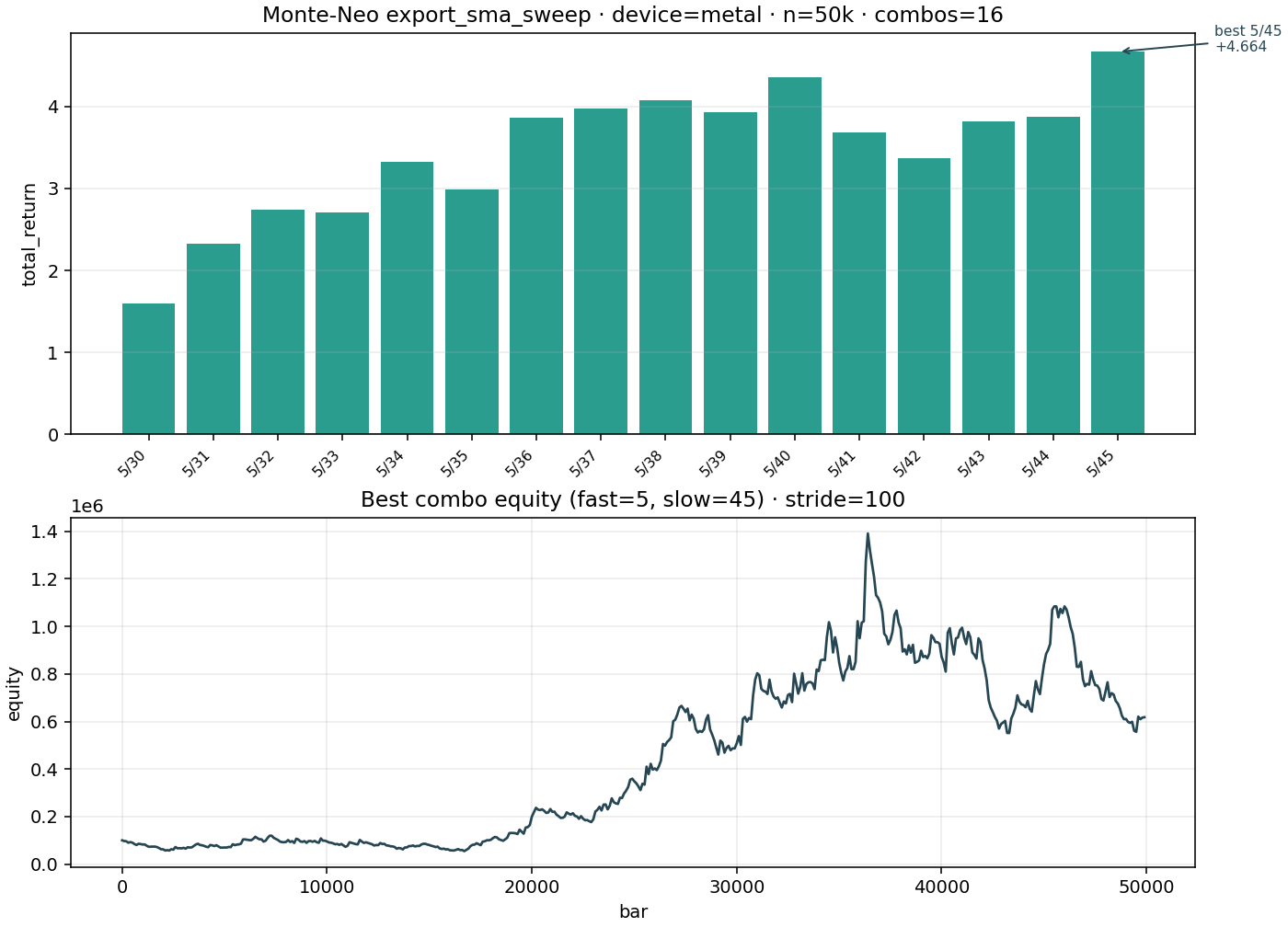
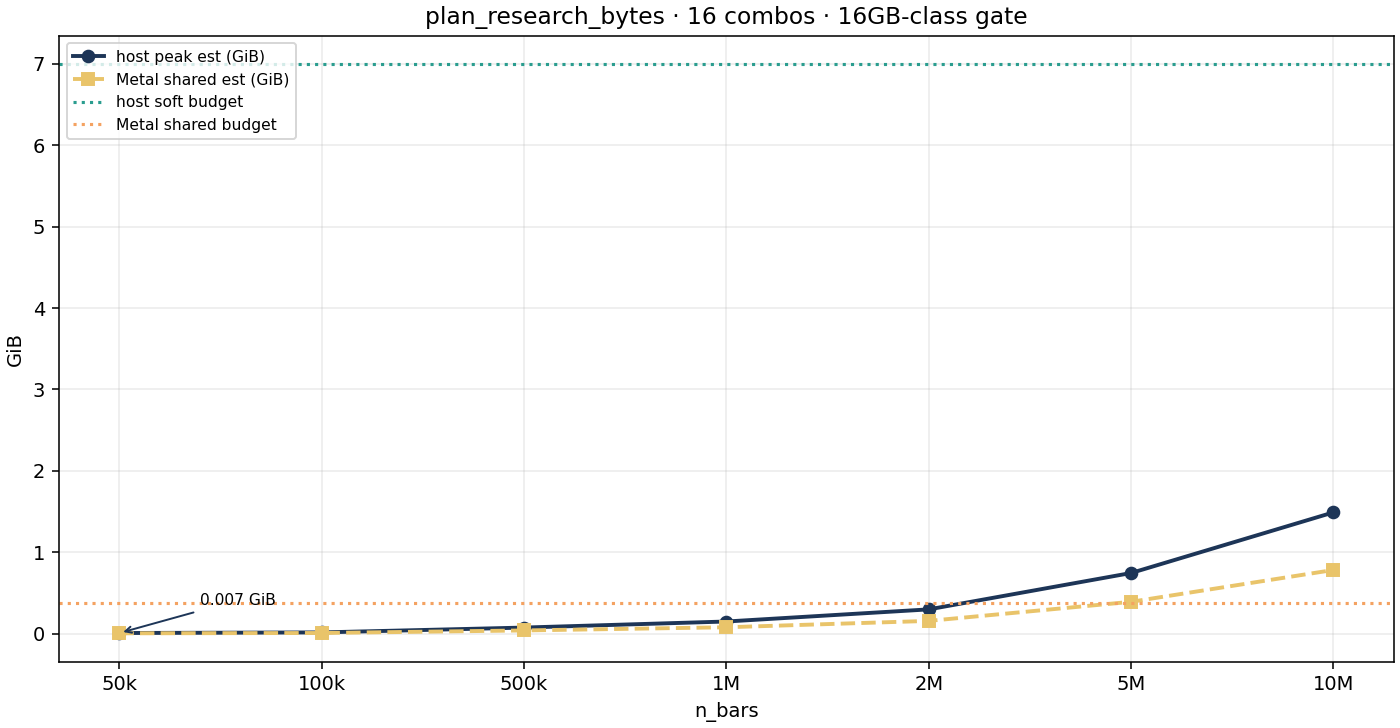
Next steps
- Install · Quick start · FAQ
- Changelog · Roadmap · Commercial
- Source: github.com/NeoZorK/Monte-Neo